
Problem
Many people only start tracking their time at the end of the day. Details are missing, times are estimated, and valuable work time gets lost. At the same time, backfilling entries costs unnecessary time and focus.
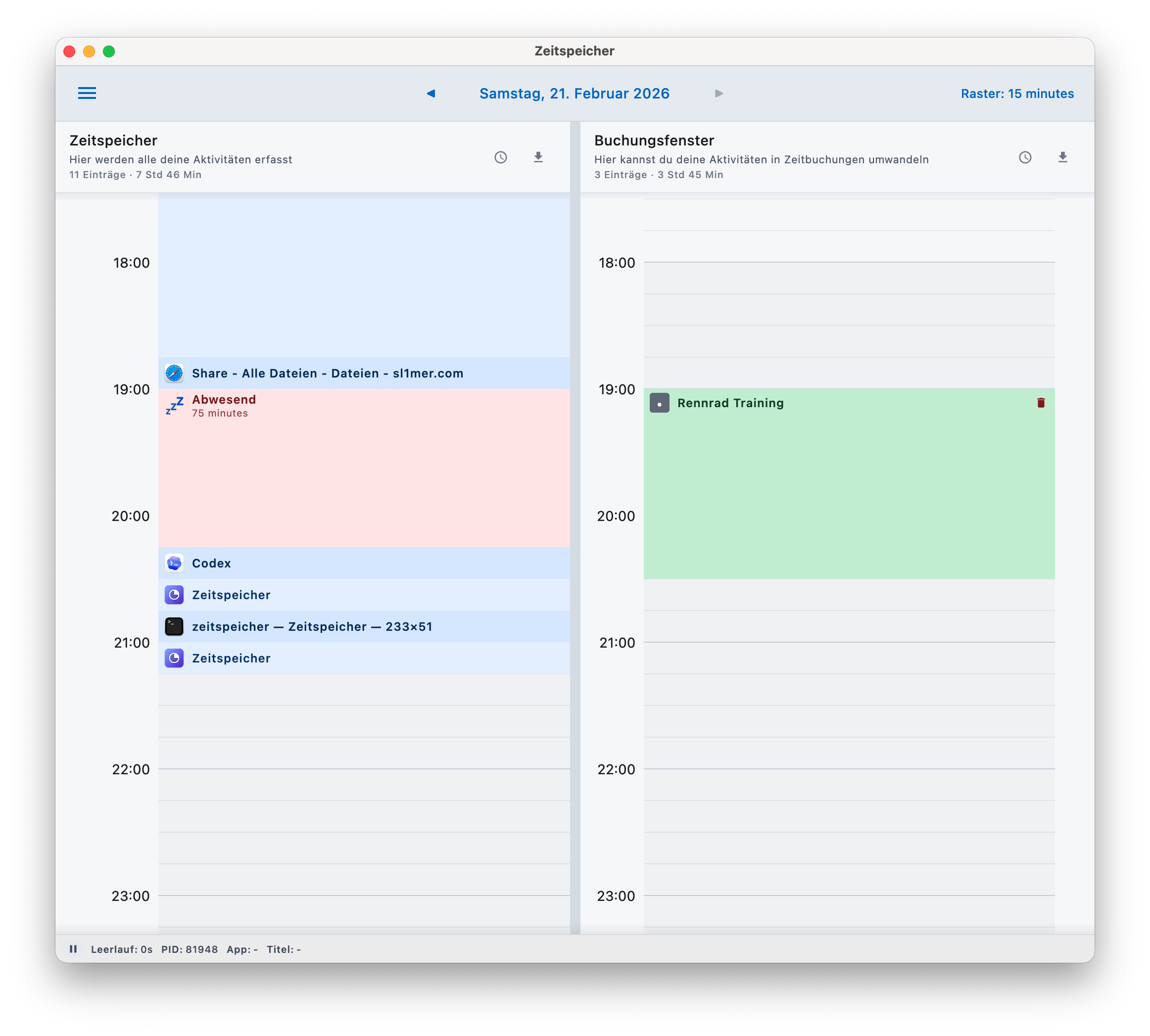
Your day flow on the left, your bookings on the right: Zeitspeicher.app captures your work automatically and helps you turn it into clean time bookings.
Many people only start tracking their time at the end of the day. Details are missing, times are estimated, and valuable work time gets lost. At the same time, backfilling entries costs unnecessary time and focus.
Zeitspeicher.app continuously documents your work in a timeline and makes it easy to convert it into precise, controlled bookings.
The Zeitspeicher.app timeline automatically records the applications you use as well as your absence periods. This gives you a clear view of your actual workday flow at all times.
In the booking timeline, you can structure your day comfortably and turn sections into bookings with just a few clicks - traceable, flexible, and without end-of-day guessing.
You can post bookings directly to JIRA while creating them. Alternatively, export them as JSON, XML, or CSV and continue processing them in your existing systems.
Zeitspeicher.app records your work activity automatically - without start/stop timers and without interruptions. This creates a complete foundation in the background for later bookings.
Parallel timelines show your day flow on the left and your bookings on the right. You can take over sections directly, adjust them, and convert them into precise bookings - without switching views.
Bookings can be entered in a flexible time grid, and day navigation keeps past days available at any time.
The booking dialog presents your day clearly and helps you transfer relevant time sections precisely. This creates clean day documentation step by step.
You can decide whether a booking stays internal or is assigned directly to a ticket.
Absences and breaks are detected automatically so your bookings match your real workday.
Zeitspeicher.app integrates directly into your JIRA workflow so time tracking and ticket documentation become one continuous process. While preparing bookings, you can select matching tickets and add details without switching applications. Worklogs are created exactly where you structure your time entries - fast and consistent.
The statistics view shows how your day actually went - not just what was booked. You can immediately see how much time was actively worked, how much of it was turned into bookings, and where differences occur. This helps you quickly recognize whether time is missing, overbooked, or whether your focus shifted during the day.
On first launch, an integrated assistant guides you step by step through the Zeitspeicher.app setup. It helps you configure required system permissions and set up integrations such as JIRA so you can start productively right away.
The assistant can be opened again any time to adjust settings, update integrations, or connect new systems - without manually searching through options.
Zeitspeicher.app runs quietly in the background, always shows what is currently being captured, and can be paused or resumed instantly. You decide when tracking runs and when it does not.
You can export bookings per timeline as JSON, XML, or CSV to transfer them into existing systems or continue processing.
Zeitspeicher.app stores your recorded data locally on your computer. Exports only happen based on your explicit action. Your productivity data stays under your control and leaves your system only when you decide to do so.
Short answers about usage, privacy and behavior.
Currently, Zeitspeicher.app runs on macOS with Apple Silicon processors. The architecture is designed so additional platforms can be added later.
Zeitspeicher.app automatically detects longer inactivity periods and marks them accordingly. Standby and sleep phases are also considered so your timeline reflects your real day as accurately as possible.
Yes. Zeitspeicher.app can be paused and resumed at any time. You decide when activities are captured.
No. Zeitspeicher.app does not create automatic bookings. You decide which sections to convert and can edit them beforehand.
Yes. You can navigate to previous days at any time and add or adjust bookings as long as data is available.
Yes. Tracking and booking work fully without internet. A connection is only required for integrations such as JIRA.
You can export bookings per timeline as JSON, XML or CSV to transfer or process them in other systems.
Zeitspeicher.app records only data relevant for traceable time documentation: time ranges, used applications, window titles, and optionally related document names.
No. Zeitspeicher.app stores captured data locally on your device. Transfers happen only when you explicitly use integrations or exports.
No. The application is optimized for low resource usage and runs quietly in the background.
No. Zeitspeicher.app is not a surveillance tool. Captured data exist solely to provide a realistic basis for your own time tracking.